
Live GPS Field View
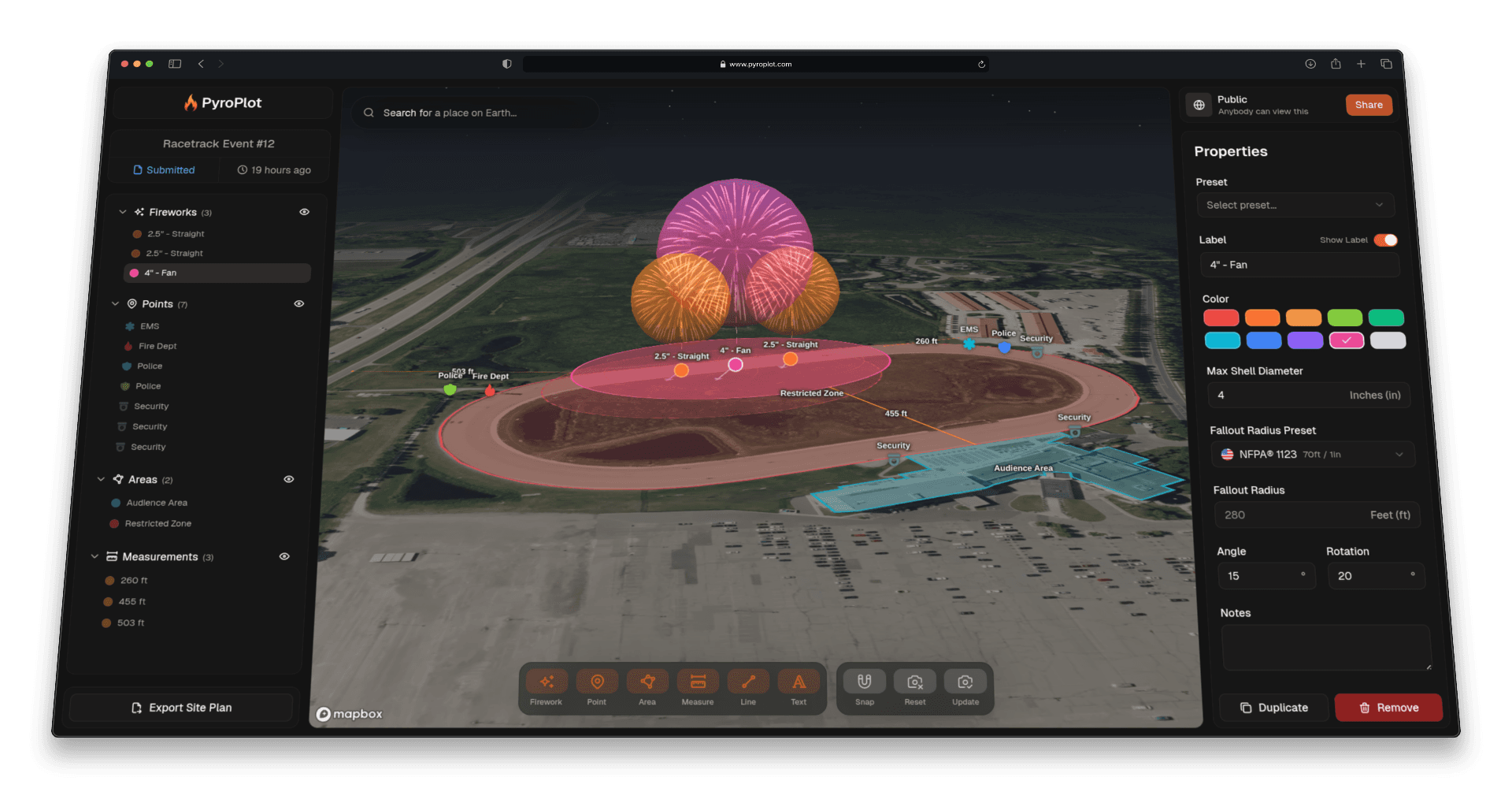
Walking a site with a printed PDF and trying to mentally map where you're standing relative to the discharge zone is harder than it needs to be. Now when someone opens a shared Pyro Plot site plan on their phone, they can see exactly where they are on the map in real time.
How It Works
Every shared project link has a new "Show my location" button anchored to the bottom of the screen. Tap it, grant location permission, and a live GPS dot appears on the map showing your current position relative to all the plotted annotations. The map flies to your location automatically on the first fix and stays updated as you move around the site.
Tap the button again to stop tracking and remove the dot. This is a read-only visualization tool. It never saves anything to the project.
Coordinates on Every Annotation
Alongside the location dot, every annotation now shows a Coordinates field in its properties panel. Tap any firework, point, area, or other annotation and you'll see its latitude and longitude to six decimal places. From there you can:
- Copy the coordinates to your clipboard
- Open in Maps to launch Apple Maps or Google Maps pre-loaded with that exact location
That makes it easy to navigate to a specific firing position, fallout boundary, or spectator line while you're physically on site.
Who This Is For
The share view is how clients, crew members, fire marshals, and AHJs look at a site plan without needing a Pyro Plot account. This feature makes that view genuinely useful in the field, not just on a desktop before the show.
A few practical uses:
- Site walks. Share the link with your crew before setup and let everyone orient themselves on the map as they walk the venue.
- AHJ inspections. An inspector can open the link on their phone and see exactly where they're standing relative to the planned discharge site and separation distances.
- Client walkthroughs. Let a venue manager or event planner follow along on their own device while you walk the site together.
How to Use It
- Open a shared project link on your phone
- Tap "Show my location" at the bottom of the screen
- Grant location permission when prompted
- The map flies to your position and shows a live dot
Tap any annotation to see its coordinates and open them in your maps app.
This feature requires HTTPS and a mobile browser with location permissions enabled. It is available now on all public share links.